Your Dock badges, up in the menu bar.
Badge On Bar is a small Mac app that copies the little red counts from your Dock into the menu bar, one item for each app you choose, so you can see when Mail or your team chat wants you without looking down at the Dock.
brew install grahamotte/tap/badge-on-barFree and open source. Version 0.6.2, for macOS 26.2 or later. Signed and notarized by Apple.
A few ways to show a count
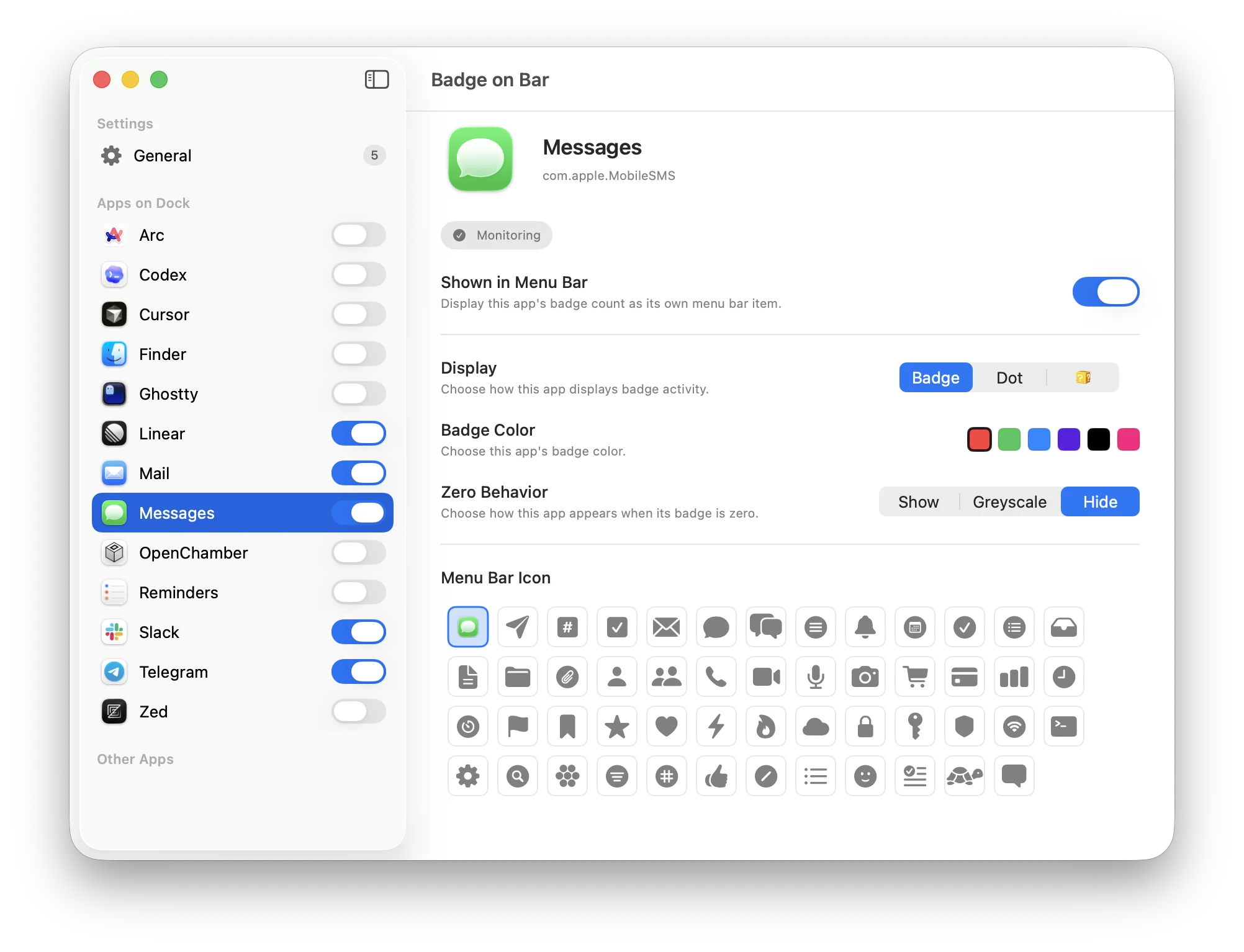
Pick one for each app, along with a badge color.
Badge
A small circle with the count over the icon, like the Dock.
Dot
Just a dot in the corner when something is waiting.
Count
The full number, written out next to the icon.
Question block
The icon turns into a question block. Mostly for fun.

When there's nothing new
Choose what an app's item does when its count drops to zero.
Show
Stays as it is.
Greyscale
Fades to grey.
Hide
Steps out of the menu bar until a badge comes back.
One small settings window
Your Dock apps are listed on the left. Flip the switch next to the ones you want, then choose how each one looks. Everything else is in General.
To read the badges, Badge On Bar asks for Accessibility access the first time it opens. It only looks at the Dock, and nothing leaves your Mac.
Click to go there
Clicking an item opens or switches to that app. Option-click or right-click for Badge On Bar's settings.
Arrange them your way
Hold Command and drag the items to reorder them. macOS remembers where you put them.
Your own icons, if you like
Each item can use the app's icon or one of a set of plain monochrome symbols that match the rest of the menu bar.
Stays out of the way
No Dock icon and no window unless you open settings. It can start at login, and it checks the Dock about once a second.

Give it a try
Install with Homebrew, then update with brew upgrade.
brew install grahamotte/tap/badge-on-barBadge On Bar is a rewrite of Doll, a lovely little app by xiaogdgenuine.